
How Can We Help?
How to Create a Form in Formidable Forms
How to create a form in Formidable Forms
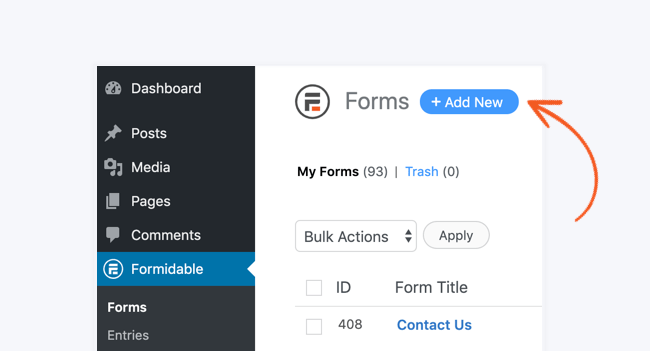
Go to Formidable → Forms and click Add New at the top of the page.
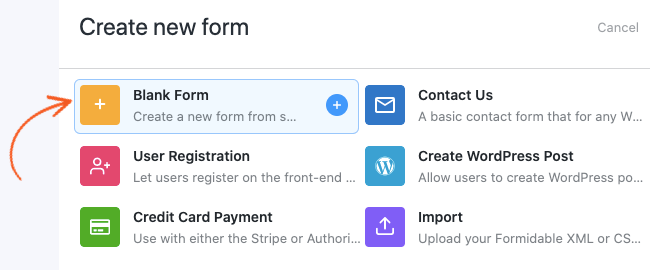
Click the Blank Form option.
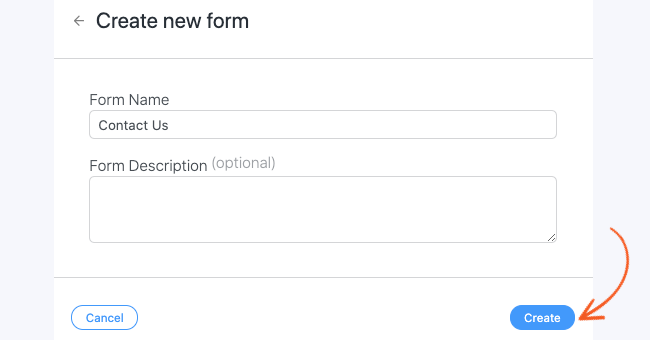
Give your new form a name and click Create to start building your form.
Add fields to your form. You can either use the drag and drop form maker or click on the field type in the sidebar to add fields at the end of the form. Learn more about the different field types.
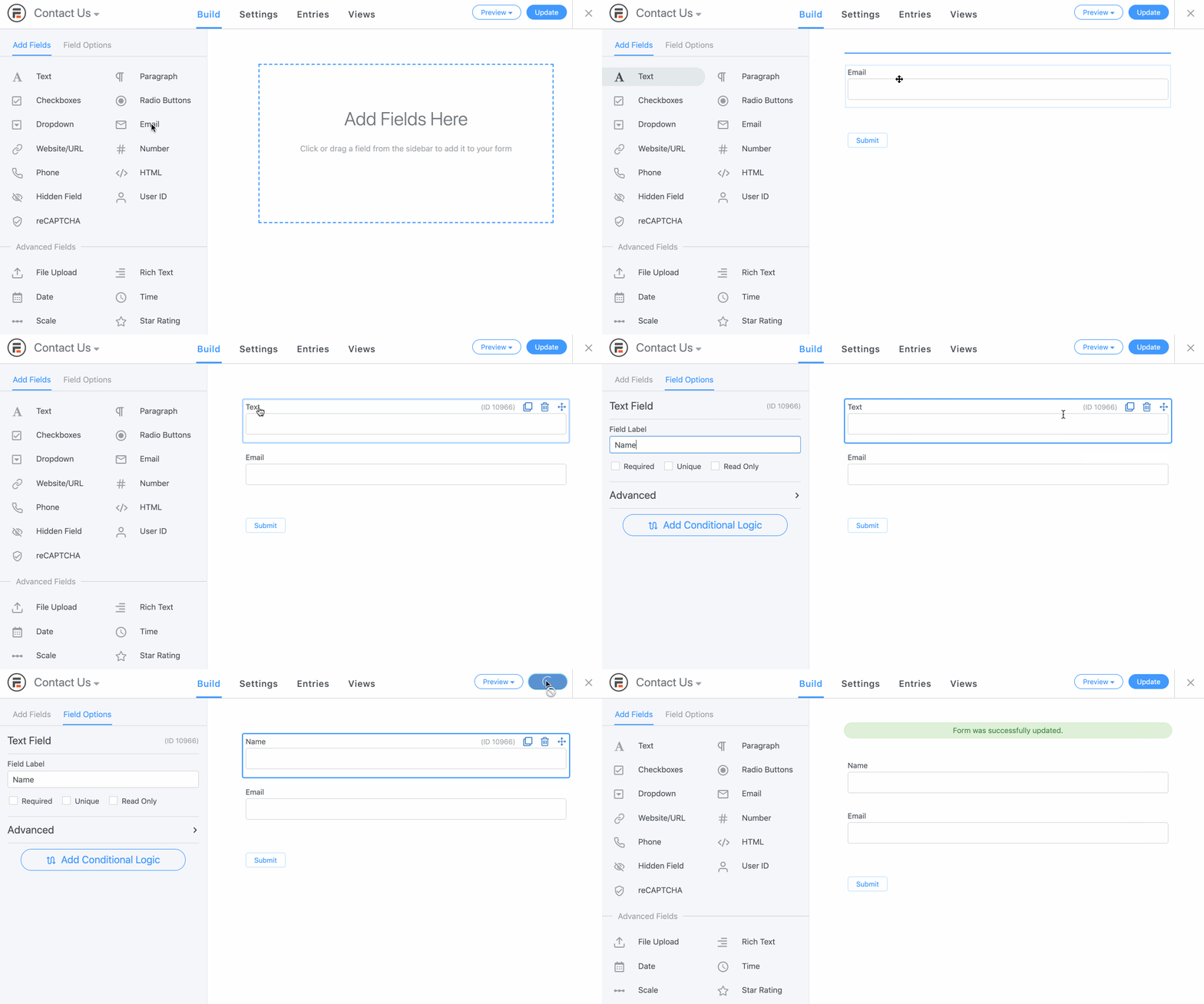
Click Update to save your form.
You have just created a form! To preview it, click the Preview button.
To learn more about the functionality that can be added to your form, continue reading the Building a form section. Or publish your form to use it on your site.