Footer Settings
Footers
A footer is an area that appears at the bottom of a website after the main body content. Just like a site’s header, the footer also usually appears on every page of a site.
Most sites use their footer area to house important links like disclaimers, privacy policy, and other key pages of your site. You should use your site’s footer to your advantage by highlighting essential links you can’t feature in the header.
The footer also gives you an excellent opportunity to strengthen your brand image and make a long-lasting impression on your visitors. Instead of leaving this space empty or with useless information, you can add your logo to it along with a quick introduction to your brand or a punch line that captures the essence of your business.
The site’s footer is also critical from an SEO perspective. Since it appears on every page of your site, any links in the footer will be considered site-wide links. Never use this space to stuff keywords or internal links to get more page authority. Only feature links that are useful to your audience or legally required.
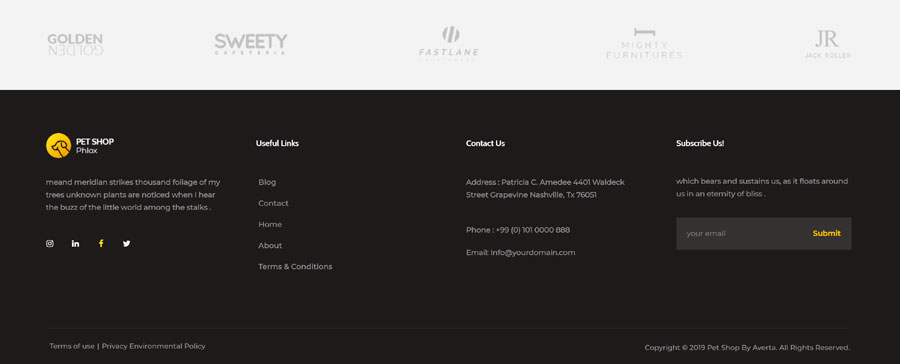
Footer Example
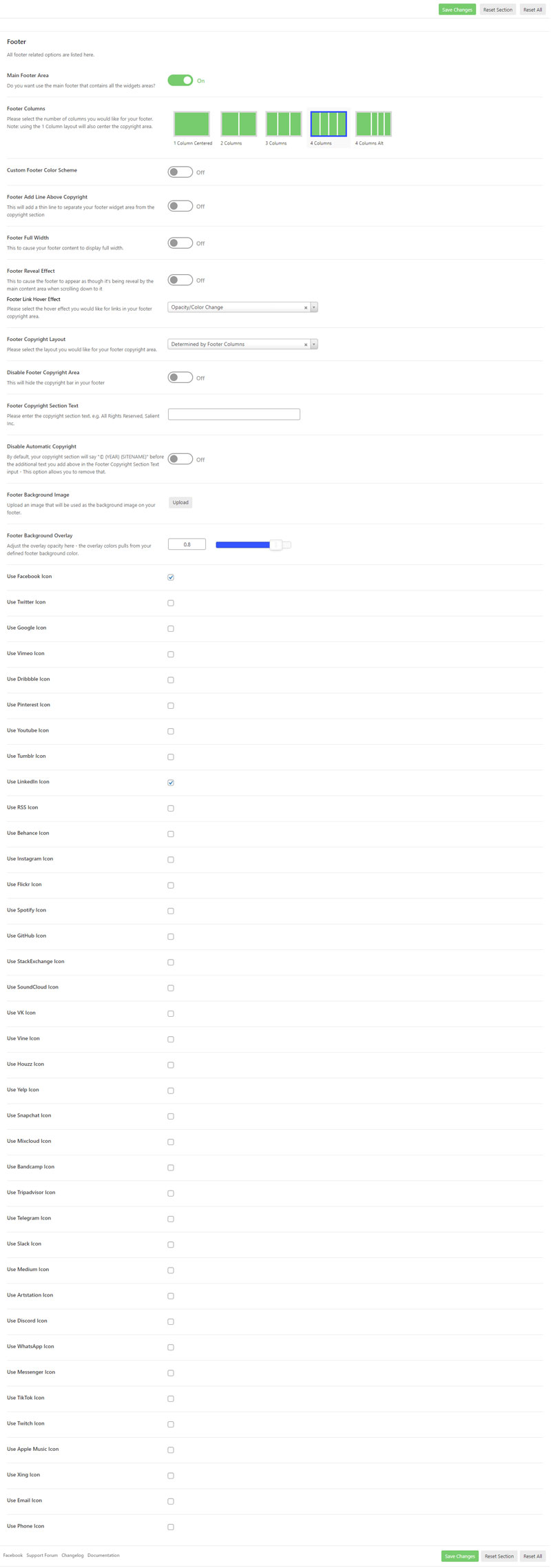
Salient Footer Settings
Theme options are at the core of Salient and provide you with power to drastically change the appearance of your site without ever touching a line of code.
To Access the Footer options panel head to the Salient > Footer menu link in your WordPress admin dashboard
Color Scheme
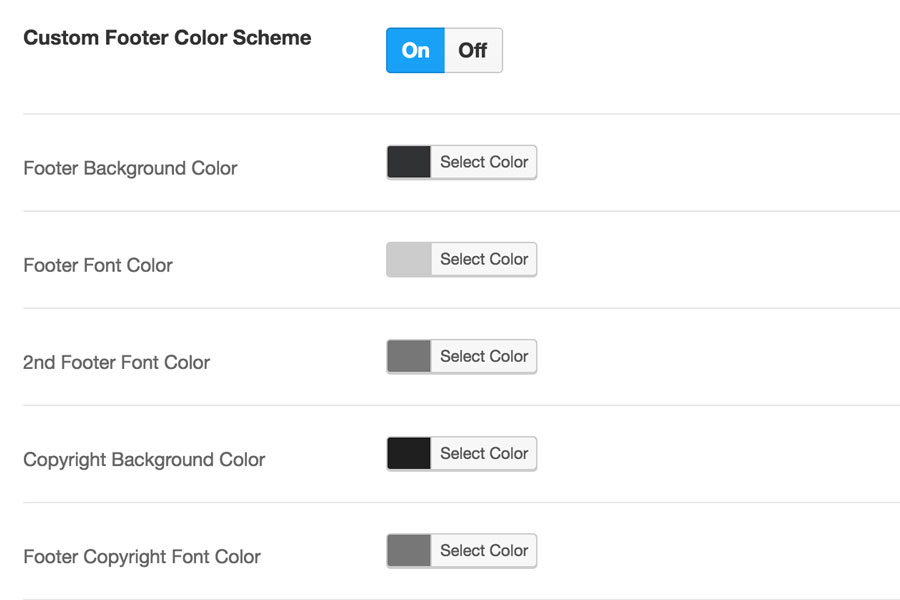
Turn On the Custom Footer Color Scheme, to make updates to the footer colour scheme.
Click Save Changes after making any changes.