How Can We Help?
Add New Member to Membership Plan
Direct to WooCommerce > Memberships > Add Member
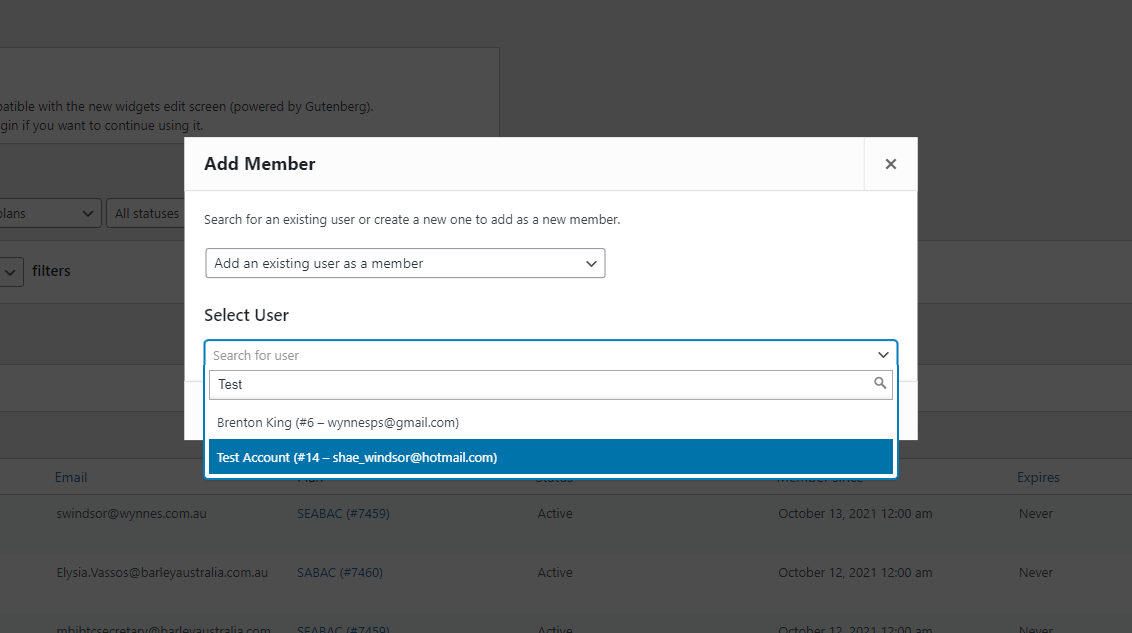
If the member is an existing user, select ‘Add an existing user as a member’, begin typing the user details in the ‘Select User’ field. Select the user once the username appears. Click ‘Add Member’.
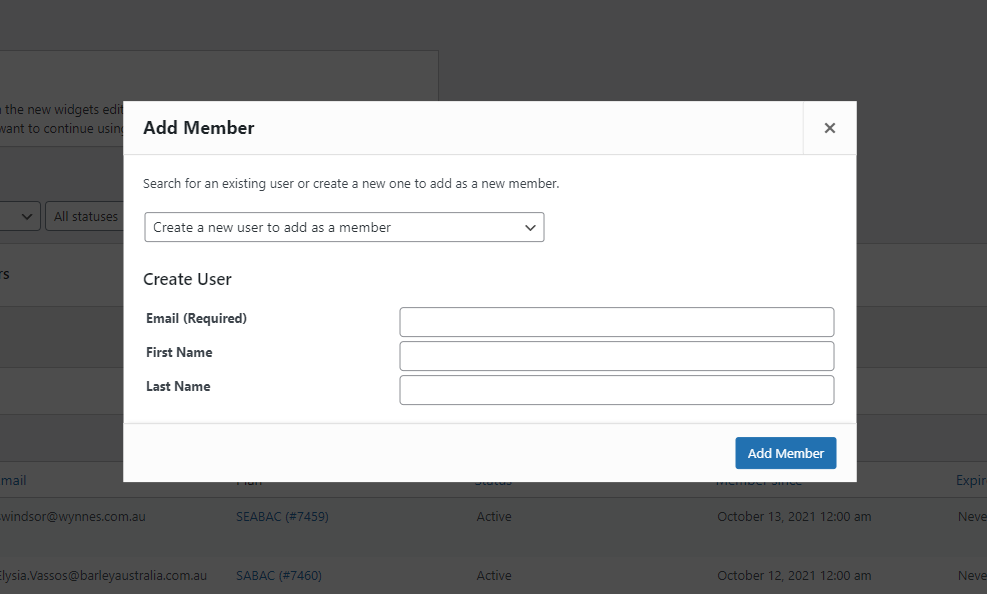
If the member does not have an existing user account, select ‘Create a new user to add as a member’. Enter in the new members details, click ‘Add Member’. An email with a temporary password will be sent to the users email address.
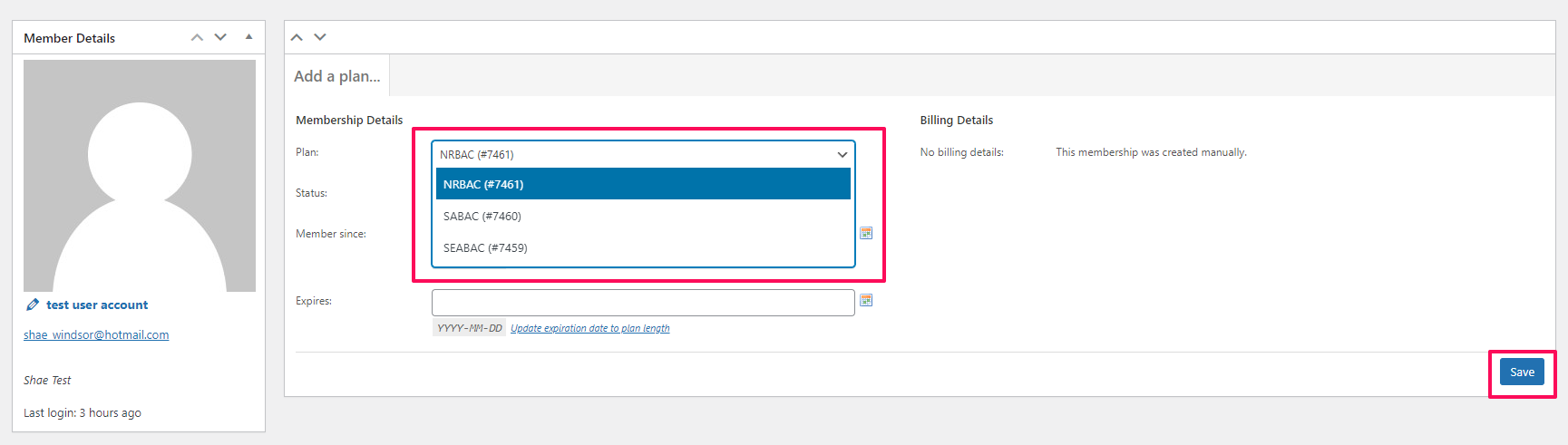
Assign membership plan from the ‘Plan’ dropdown click ‘Save’.